After updating to Shelly Smart Control for iOS version 1.8.2 (69), some users may notice that certain Home Screen widgets no longer work as expected.
This may happen because of widget-related improvements introduced in the update. In some cases, a widget may lose its previously assigned room, group, or device configuration and needs to be set up again.
This behavior may affect the following widget types:
Groups
Room Sensor
Relays
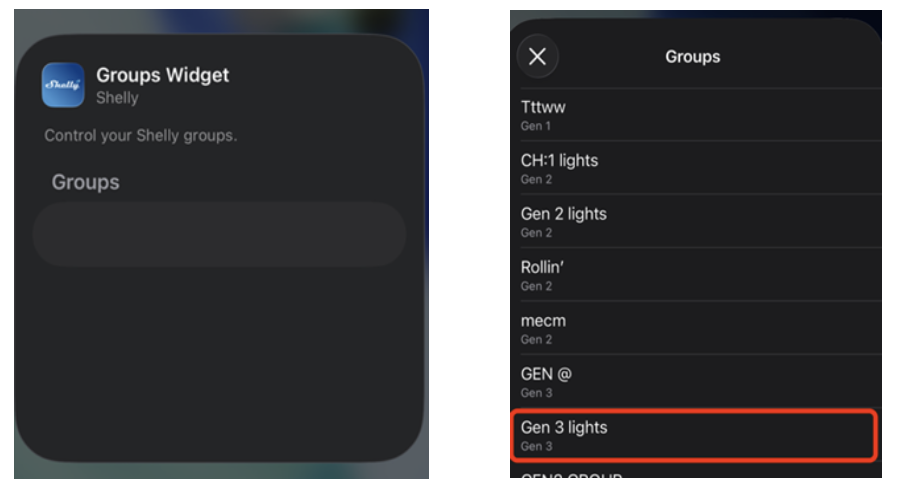
What you may notice
After the update, an affected widget may:
appear empty
look unconfigured
stop responding
no longer show the selected room, group, or relay
This does not mean that your devices, rooms, or groups have been deleted. In most cases, only the widget assignment needs to be selected again.
Widgets before the update
Before the update, widgets may have displayed the selected room, group, or relay correctly on the iOS Home Screen.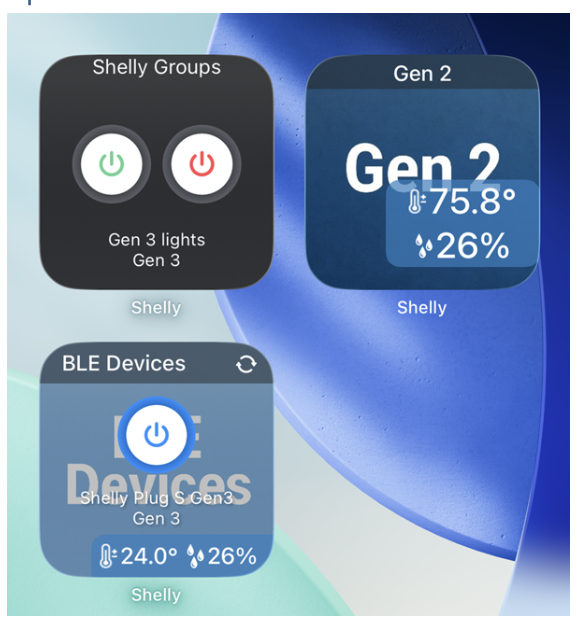
How widgets may appear after the update
After the update, some widgets may appear empty or may no longer show their previous configuration.
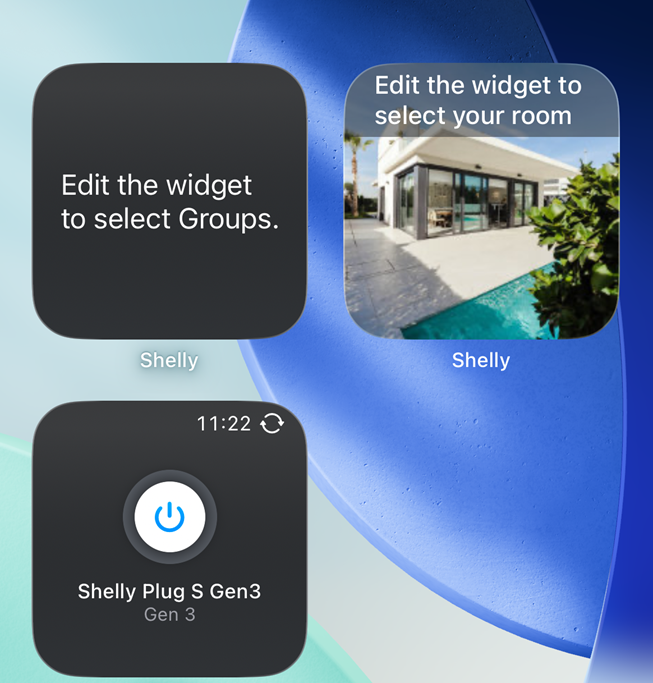
If a widget appears unconfigured or stops working after the update, please reconfigure it to restore functionality.
Rooms reconfiguration flow
Open the widget configuration and select the correct room again.
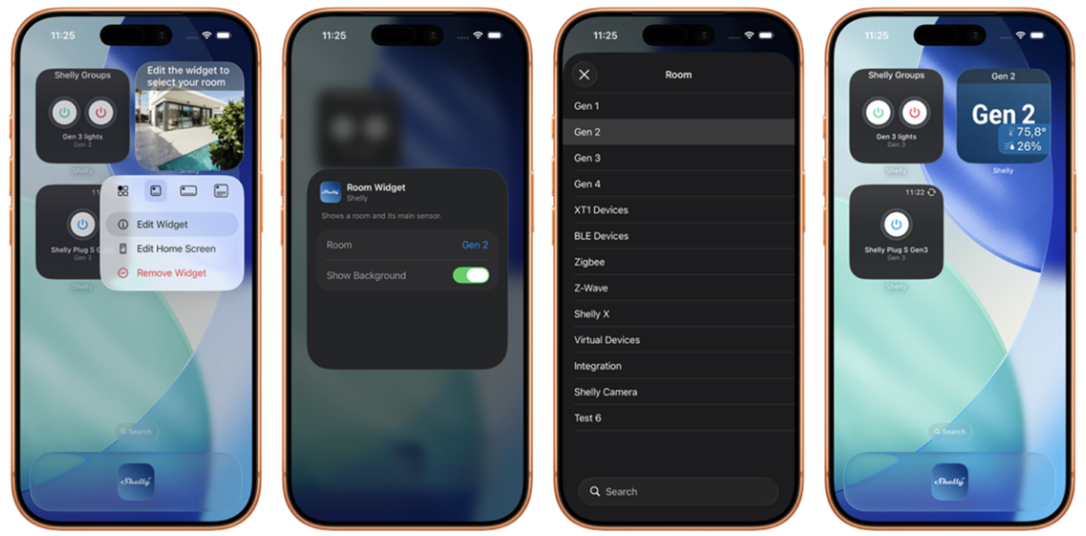
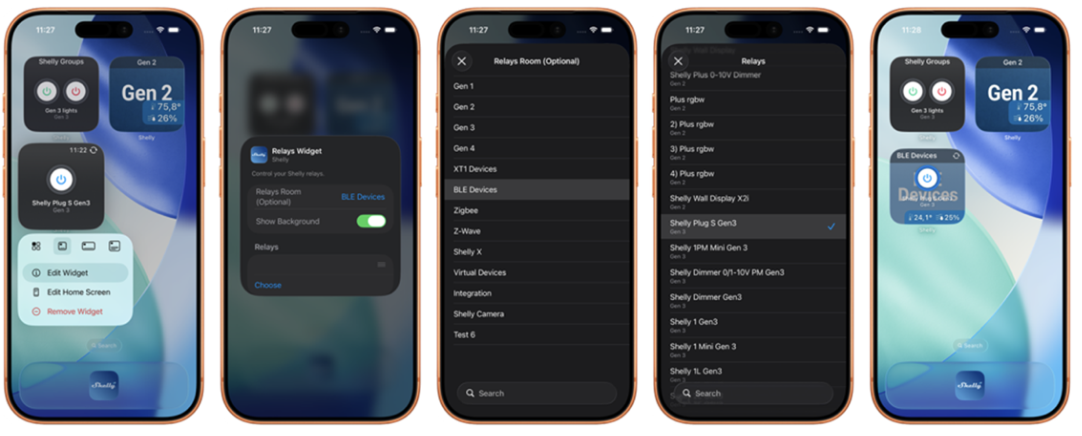
Relays reconfiguration flow
Open the widget configuration and select the correct relay or device again.
Groups reconfiguration flow
Tap the empty widget area and select the required group again.
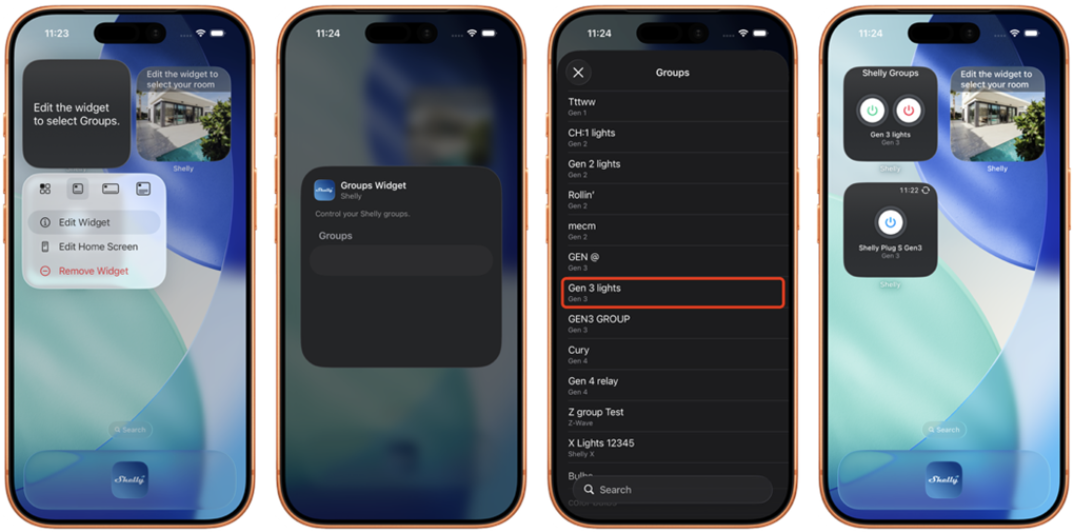
After reconfiguration
Once the widget has been assigned again, it should start working normally.
We apologize for any inconvenience this may cause. These changes support future widget improvements and more reliable functionality in Shelly Smart Control.